An AI agent is a model that can use tools: look things up, run queries, fill in forms, call other systems, and work through a task in several steps. For operations teams, that opens up useful work beyond chatbots. It also needs care.
What makes an agent different from a chatbot
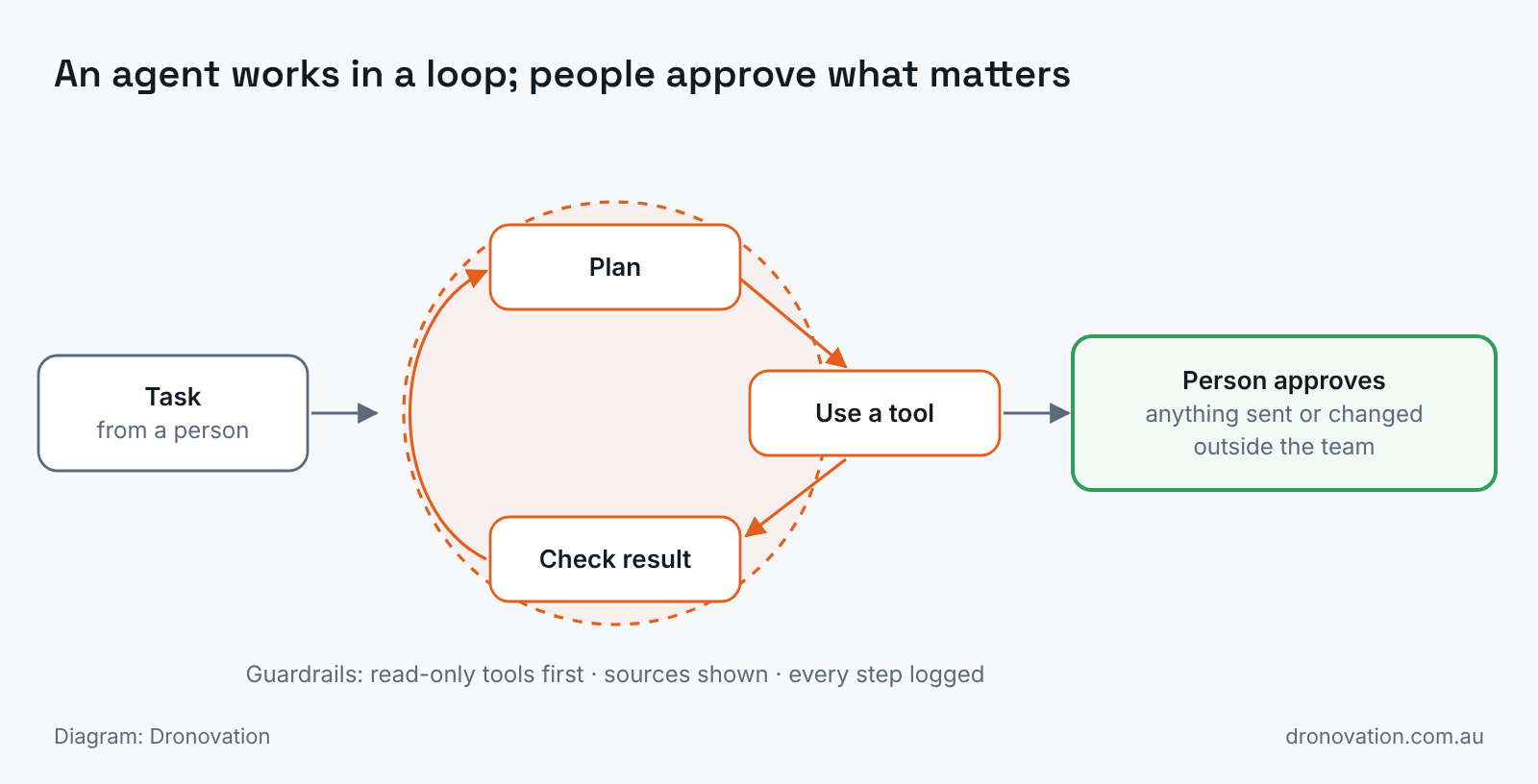
A chatbot answers from what it knows. An agent can:
- Look things up in your systems: databases, documents, ticketing tools
- Take actions: draft a report, create a work order, update a record
- Work in steps: gather information, check it, then act
Three good first uses
- Answering questions from your data. "Which sites had the most defects last quarter?" The agent writes a query against approved tables, runs it and shows the result with the query.
- Drafting routine documents. Job reports, risk assessments or summaries, drafted from data and templates for a person to check and sign.
- Triage. Reading incoming requests or emails, classifying them, pulling relevant records and routing them to the right person.
Where to be careful
- Actions that can't be undone, like sending emails to clients or changing financial records. Keep a person approving these.
- Numbers. Language models can produce plausible but wrong figures. Have the agent calculate from data, and show its working.
- Access. Give the agent only the systems and permissions it needs.
- Untrusted input. Documents and emails can contain instructions meant to mislead an agent. Treat them as data, not commands.
Guardrails that work
- Read-only access to start
- Every answer shows its sources or query
- A person approves anything sent outside the team
- Logs of what the agent did and why
- A small, clear task first, measured against how the team works today
Getting started
Pick a task that's repetitive, low-risk and well documented. Map the steps a person takes today. Build the agent for those steps only, run it alongside the person for a few weeks, and compare. Expand when it's reliable.